DISHONORED / VOID COMMUNITY
Dishonored Rich Presence
Compatibility
- Category
- Interface
- Game
- Dishonored
- Language
- Language independent
- Game build
- 1.4
- DLC
- Unspecified
- Dependencies
- Unspecified
- Conflicts
- Unspecified
- Editions
- Steam
Releases for collections
Collections pin a specific archive. Updating a mod does not change an existing collection.
01
Description
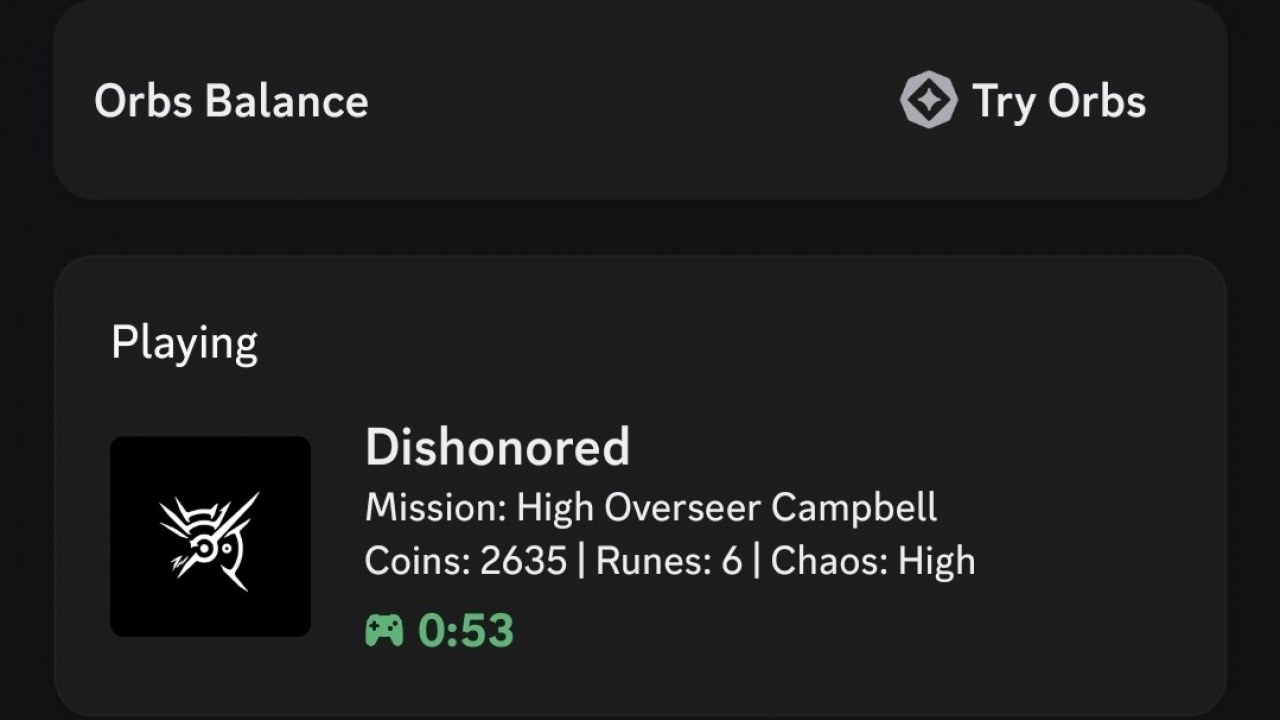
Adds Discord Rich Presence to Dishonored, displaying your current mission, coins, available runes, chaos level, and session time. Mod completely supports all the official languages: English, French, Italian, German, Spanish, Russian, Hungarian, Czech, Polish.
Main features:
• Session timer measured from game launch, including menus and pauses.
• Updates every 15 seconds.
• Automatic reconnection when Discord restarts.
• Nine languages: English, French, Italian, German, Spanish, Russian, Hungarian, Czech, Polish.
• Automatic loading through NativeMods.
• Reads game data without modifying inventory or saves.
Mission names include entries for the main campaign and DLC. DLC gameplay has not been separately tested. Unavailable information is shown with a localized placeholder like N/A.
02
Installation and requirements
Installation instructions
1. Close Dishonored.
2. Extract the full archive into Dishonored\Binaries\Win32, beside Dishonored.exe.
3. Ensure dinput8.dll is in Win32 and DishonoredRP.dll and DishonoredRP.ini are inside NativeMods.
4. Open the Discord desktop client and launch the game normally.
No separate launcher is needed. Discord Application ID is configured already.
To uninstall, close the game and remove DishonoredRP.dll and DishonoredRP.ini from NativeMods. Keep the loader if other mods (like Mission Stats by adm244) depend on it.
Mod community
No entries yet.